01
AZ-FIVE MicroTools · B2B · Local processing
Prepare a whole image folder in one local pass.
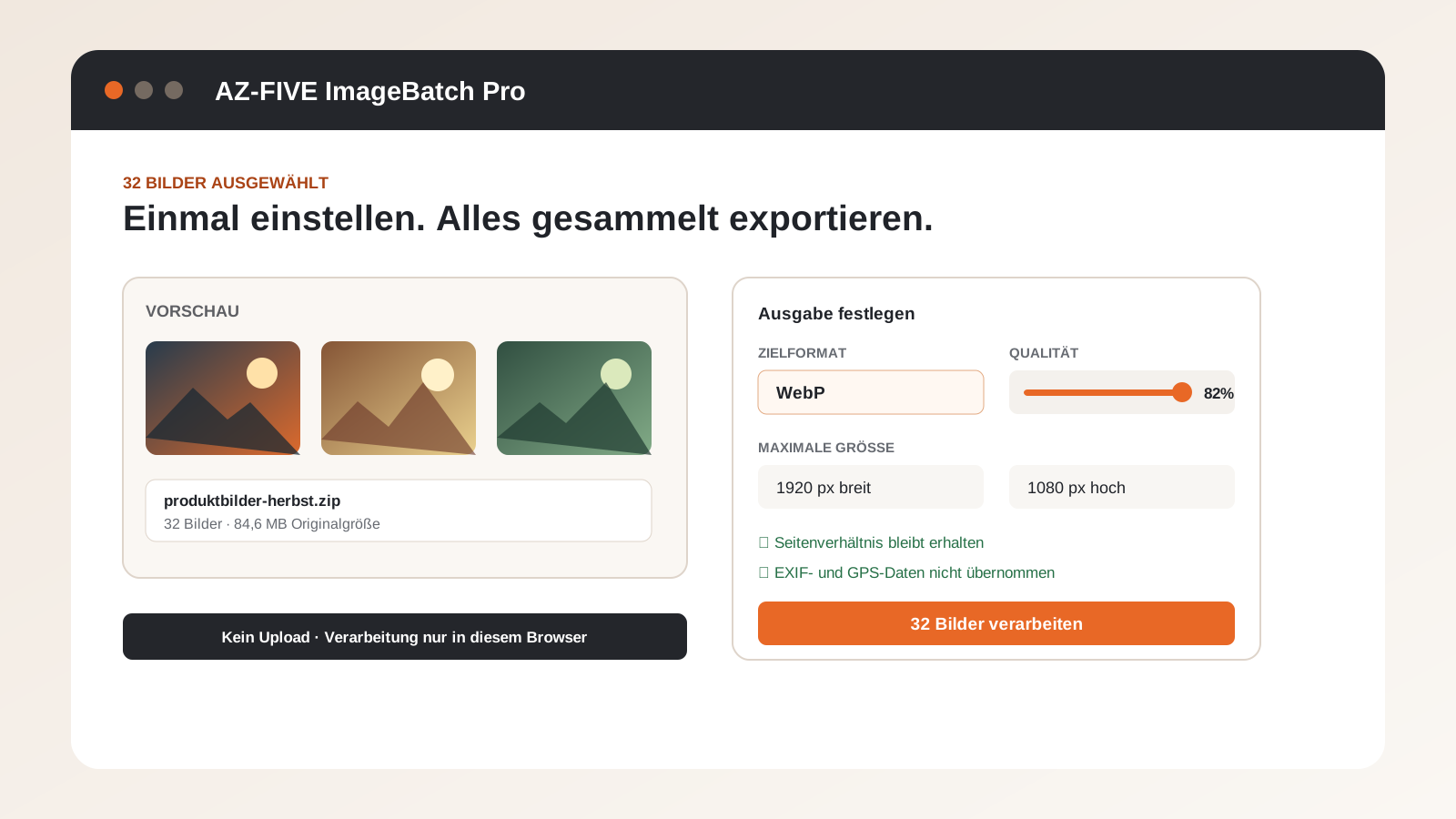
Convert up to 100 images to JPG, PNG or WebP, resize them and create a ZIP locally in the browser without uploads.
19 €one time · self-hosting licence
No uploadNo accountSource codeDE & EN
Why it exists
Files should not need a detour through an unknown server.
one finished folder of consistent web images instead of opening and exporting each image individually.
How it works
Select locally, process locally, download locally.
The browser performs the work. There is no upload endpoint, cloud account or mandatory subscription.
Included
A focused workflow with clear controls.
02
Choose output format, quality and maximum dimensions
03
Preserve aspect ratio and never enlarge by accident
04
Add prefixes, suffixes and sequential numbers
05
Download individually or as a ZIP without copied EXIF data
Honest boundaries
Local does not mean magically unlimited.
Performance depends on the browser and device. The product page states exactly what is and is not supported.
- AVIF export depends on browser support.
- Very large batches require corresponding device memory.
- The tool does not replace manual retouching or colour proofing.
Try before buying
The online version is the working product, not a mock-up.
Use it without an account. Buy the company edition when you want to host, brand or adapt it internally.
B2B one-time purchase
AZ-FIVE ImageBatch Pro 1.0.0
Self-hostable build, source code, documentation and an internal company licence.
Only for companies and self-employed professionals purchasing for business purposes.
19 €one time · no required subscriptionDigital delivery: Download after confirmed payment, without shipping costs. Refunds follow the B2B terms.
Practical guides
Decide with the exact use case in view.
Batch convert images instead of exporting one by oneHow can many product or website images be converted to one consistent format and size in a single pass?Convert WebP, JPG and PNG without uploading imagesHow can images be converted for websites and shops without sending originals and metadata to a converter?
FAQ
Useful before buying.
Are images uploaded?
No. Images are decoded, resized and encoded in the browser. The application security policy blocks outgoing connections.
Are EXIF and GPS details kept?
No. ImageBatch creates new image files and does not copy common EXIF, GPS or camera metadata.
Does AVIF always work?
AVIF export is offered only when the browser supports it. JPG, PNG and WebP remain available.
Who may purchase?
The current online offer is exclusively for companies and self-employed professionals purchasing for business purposes.
17-second product tour
See ImageBatch Pro before you try it.
A compact tour of the problem, the central workflow and the real interface. No generic stock video.